0 ms vs 10 ms UPS on Home Backup Batteries: What Critical Electronics Actually Need
A home backup battery can keep its outlets powered and still let a computer, router, or security device reboot when the grid fails. The important question is not simply whether a product has a UPS mode, but whether its switchover behavior matches the electronics you cannot afford to interrupt—and whether the battery can run them long enough to matter.
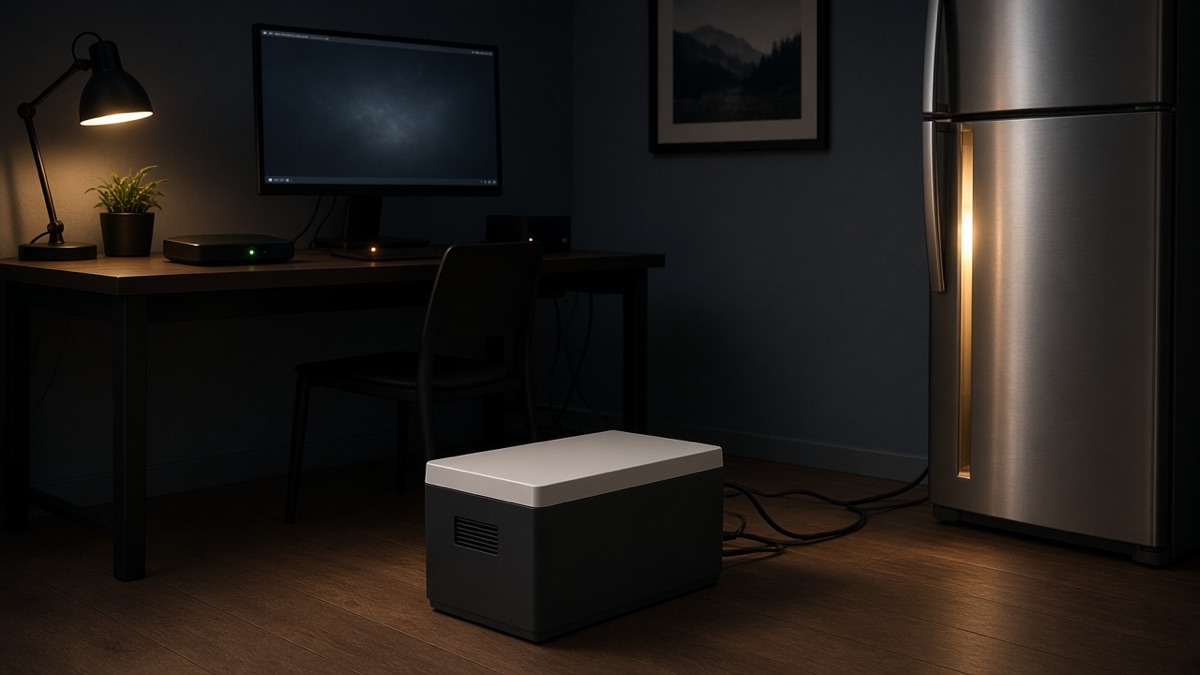
The key question behind a 0 ms vs 10 ms UPS home backup battery is whether your critical electronics can ride through the transfer without rebooting. A router may recover quickly, while a NAS, desktop, or security device can still drop an active session during a short interruption.
This guide separates UPS switchover speed from runtime, surge capacity, and installation. It is for homeowners and renters backing up networking equipment, security systems, NAS storage, computers, and possibly a refrigerator without wiring a whole-home system.
Runtime
Estimate days of backup
Use the runtime calculator with your actual router, networking, computer, and security loads, then compare the UPS behavior and usable capacity of the shortlisted products before deciding whether 0 ms operation is truly necessary.
Free · No signup · ~30 sec
Quick take
- Choose a 0 ms UPS such as the Zendure SuperBase V6400 when preventing even a brief AC interruption is the priority for a NAS, desktop, or sensitive security setup.
- A roughly 10 ms UPS can be a sensible choice for many routers, Wi-Fi systems, security hubs, and tested computers when it provides more practical output or capacity.
- Capacity usually matters more than UPS speed once the equipment stays online through the transfer but the battery cannot last through the outage.
- A plug-in battery powers connected outlets, not an entire electrical panel; 240V output alone does not create a transfer-switch connection.
- Check the power brick, continuous load, compressor startup behavior, and actual runtime before treating a UPS label as a guarantee.
What 0 ms vs 10 ms means for a home backup battery
When utility power fails, a battery system must detect the loss, switch its output source, and keep the AC outlets energized. A 0 ms rating is intended to eliminate the visible transfer gap. A 10 ms rating allows a short interruption that some electronics tolerate and others may not.
The difference is not automatically decisive for every device. Most homeowners find that a router or modem can recover from a brief drop, but recovery is not the same as uninterrupted operation. A NAS may disconnect a session, a desktop may reboot, and a security hub may trigger an alert or require a restart.
| UPS switchover | Practical meaning | Best question to ask |
|---|---|---|
| 0 ms | Effectively no transfer gap on the supported AC UPS path | Does the system also have enough runtime and output for the load? |
| Approximately 10 ms | A brief interruption that many devices may tolerate | Has the specific power brick or computer been tested? |
| Approximately 15 ms | More transfer uncertainty for sensitive electronics | Is the extra capacity or output worth accepting more UPS risk? |
| Approximately 10–20 ms | A wider range that may work for appliances and less sensitive loads | Which connected device is least tolerant of the transfer? |
A 0 ms UPS does not make a weak setup reliable. The load’s power adapter, startup behavior, battery capacity, and inverter output still matter. The best UPS home backup battery is the one that matches all of those constraints, not simply the one with the smallest transfer number.
Calculate runtime before paying for faster switchover
For devices powered through the AC inverter, use this starting estimate:
Estimated runtime = battery capacity in Wh × 0.85–0.90 ÷ AC load in W
The 0.85–0.90 factor accounts for the roughly 10–15% energy loss that usually occurs when the battery’s DC energy becomes AC power. Actual runtime can be lower because the battery system itself consumes power, the load fluctuates, and manufacturers may state capacity under different conditions.
For example, a hypothetical 100 W combined AC load would use about 100 Wh per hour. A 2,016 Wh battery would provide roughly 17–18 hours before additional standby losses. A 6,438 Wh battery would provide roughly 55–58 hours under the same simplified assumption. These are calculations, not measured runtimes, and the connected equipment may draw more during startup or peak activity.
If the modem, router, security hub, NAS, and desktop actually draw 250 W together, runtime is closer to two-fifths of the 100 W example. Measure the real load with a watt meter if the outage plan matters. A battery that switches in 0 ms but runs out before morning is still the wrong solution.
Also separate continuous power from surge power. The continuous rating must cover the normal combined load. The surge rating helps with short startup demands, but it does not make an undersized inverter suitable for a sustained overload. A refrigerator compressor can be especially demanding at startup, and a soft-start device or larger inverter may be needed if the battery trips when the compressor starts.
Match the UPS behavior to the actual electronics
Modem, router, and Wi-Fi
A backup battery for router and Wi-Fi usually does not need 0 ms operation if the equipment reliably restarts and the outage is brief. However, a modem may take time to reconnect even when the battery keeps it powered, so a reboot can create a longer service interruption than the initial grid failure.
For a networking stack that must remain online for security cameras, remote work, or smart-home access, 0 ms reduces one possible failure point. Direct DC or USB-C power can also avoid some inverter losses when the equipment supports it, but the voltage and connector must match exactly. Do not assume a USB-C port is interchangeable with a router’s power adapter.
Alarm and security systems
Security hubs vary in how they handle a brief AC interruption. Some have internal backup batteries, while others may reboot or report a power fault. The important test is whether the hub remains armed and connected when the external battery changes modes.
A 0 ms system is useful when the security device cannot tolerate a transfer, but it does not replace checking the hub’s own battery condition. It also cannot keep cameras online if the network equipment, recorder, or Internet connection is on a different unpowered outlet.
NAS devices and desktop computers
NAS storage and desktop workstations are the strongest cases for considering 0 ms. A router can recover quickly, but a NAS or desktop may still drop an active session, interrupt a write, or restart when its power supply sees even a short gap.
That does not mean every computer requires 0 ms. Some power supplies bridge a brief interruption, while others are less tolerant. Test the actual computer, monitor, NAS, and network equipment together. If the system stays online at 10 ms during a controlled test, additional capacity may be more valuable than a faster UPS label.
Refrigerators and other motor loads
A refrigerator is not usually a reason to insist on 0 ms. It is more often a reason to check continuous output, surge headroom, and runtime. The compressor may start after the battery is already carrying other loads, so a battery can fail from overload even though its UPS transfer is fast.
Keep a refrigerator on a suitable AC outlet with enough output margin. Do not combine it with a desktop workstation, NAS, and heater on a small inverter without checking the total load. For a short outage, a modest battery may cover essential electronics or the refrigerator, but multi-hour and overnight plans require the capacity math above.
Plug-in UPS power is not the same as whole-home backup
A plug-in battery powers the outlets and cord-connected devices attached to it. It does not automatically energize wall outlets throughout the home, hardwired lighting, a furnace circuit, or a well pump.
A transfer switch or approved interconnection path is what connects a battery system to selected household circuits. For 240V loads, the system also needs the correct split-phase arrangement and installation method. Professional electrical work is normally required, and the exact battery must be compatible with the transfer equipment.
This distinction matters for both homeowners and renters. Renters generally cannot modify a panel or install an ATS without permission and professional involvement. Homeowners should not treat a 240V receptacle as a panel feed. For example, a cord-connected 240V outlet can serve a compatible appliance, but it is not the same as a split-phase transfer-switch connection for hardwired loads.
A slim wall-oriented battery can still be only an outlet UPS. Form factor does not turn it into a panel battery, and a 0 ms outlet transfer does not provide whole-home continuity.
Which batteries fit different critical-load priorities?
Zendure SuperBase V6400: zero-gap priority for sensitive electronics
Role: the speed-first choice for a NAS, desktop, or security setup where a transfer gap is unacceptable.
The Zendure SuperBase V6400 is the clearest fit when UPS behavior is the first buying criterion. Its US AC UPS switchover is effectively 0 ms, and its 6,438 Wh base capacity gives much more runtime headroom than a small plug-in battery. Its 3,800 W continuous and 5,000 W surge output can also support a broader critical-load group, provided the combined load and startup demands stay within those limits.
Using the illustrative 100 W AC load, 6,438 Wh works out to roughly 55–58 hours before real-world standby losses. Expansion toward 64,000 Wh makes multi-day critical-load coverage possible, but the extra capacity adds cost and installation or placement complexity even though the unit has wheels.
The tradeoff is substantial physical size: about 130 lb. It also has 240V capability through a NEMA 6-20, 16A receptacle, but that is for cord-connected loads, not a split-phase transfer-switch or panel feed. If the question is whether a 0 ms UPS power station is worth choosing, this is the strongest case—but only when the electronics truly need it and the runtime plan justifies the larger unit.
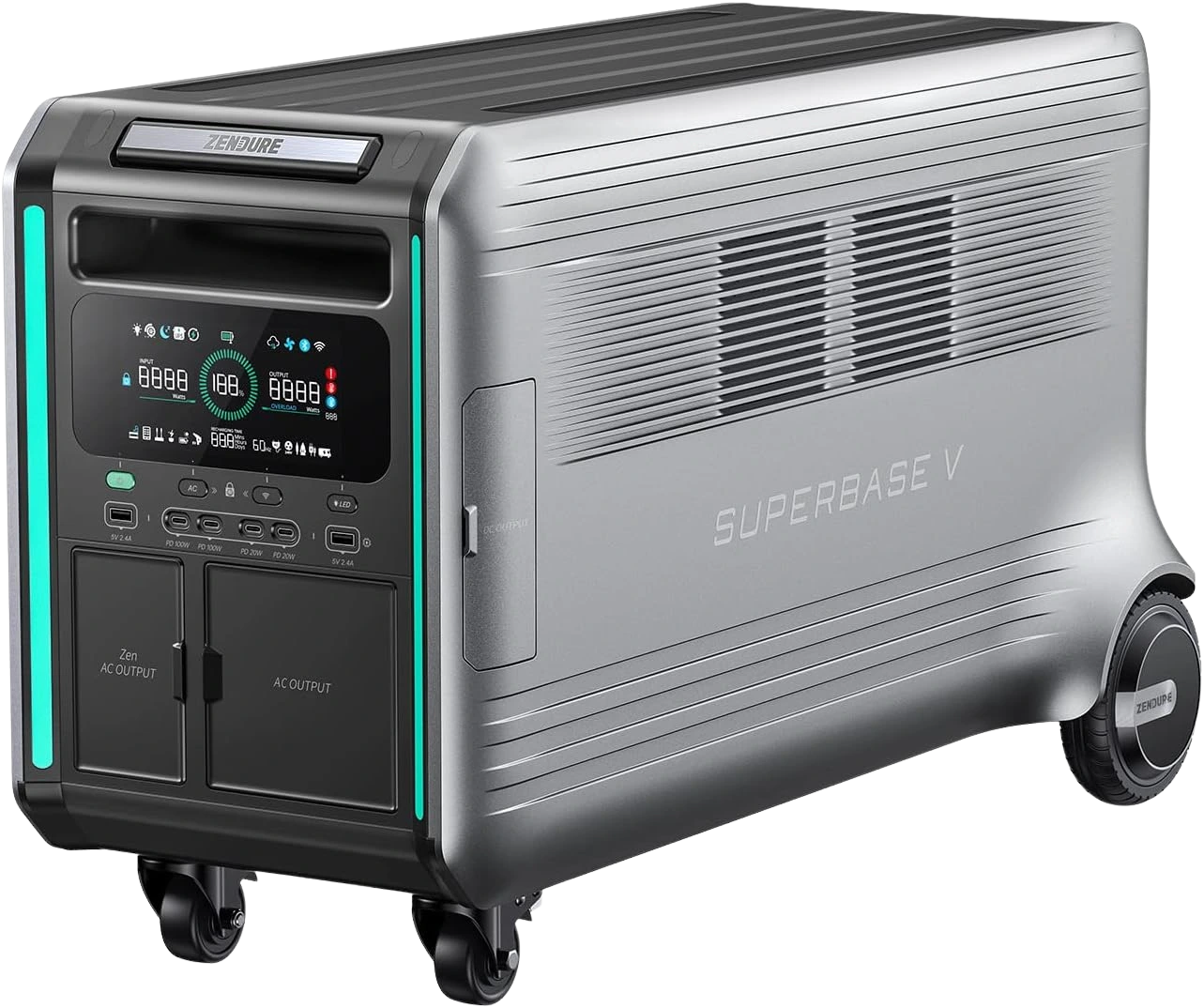
Zendure SuperBase V6400
6.44–64 kWh semi-solid-state, 3800 W, simultaneous 120V/240V via NEMA 6-20 (16A), 0 ms UPS — 130 lb.
EcoFlow DELTA Pro 3: 240V and surge headroom when 10 ms is acceptable
Role: the balanced choice for critical loads that may include larger startup demands or a true 120V/240V setup.
The EcoFlow DELTA Pro 3 prioritizes output flexibility over zero-gap UPS behavior. It provides true 120V/240V split-phase output from one unit, 4,000 W continuous output, and 8,000 W surge capacity. Its UPS switchover is about 10 ms, so it is a better fit when the connected computer, NAS, and security equipment have been tested or are known to tolerate a brief transition.
The base capacity is 4,096 Wh, while one unit plus two extra batteries reaches the practical 12,288 Wh maximum for this configuration. At a hypothetical 100 W AC load, the base battery calculates to roughly 35–37 hours before additional losses. That is a useful step up for overnight critical loads, but not a promise that a refrigerator, workstation, and networking stack will all run for that long together.
At about 113 lb with wheels, it still requires a deliberate placement plan. Its 240V capability also does not by itself create a transfer-switch connection; a panel-connected 240V setup needs compatible equipment and professional installation. Larger advertised system figures require multiple parallel systems, so buyers should not confuse those configurations with the capacity or output of one base unit.
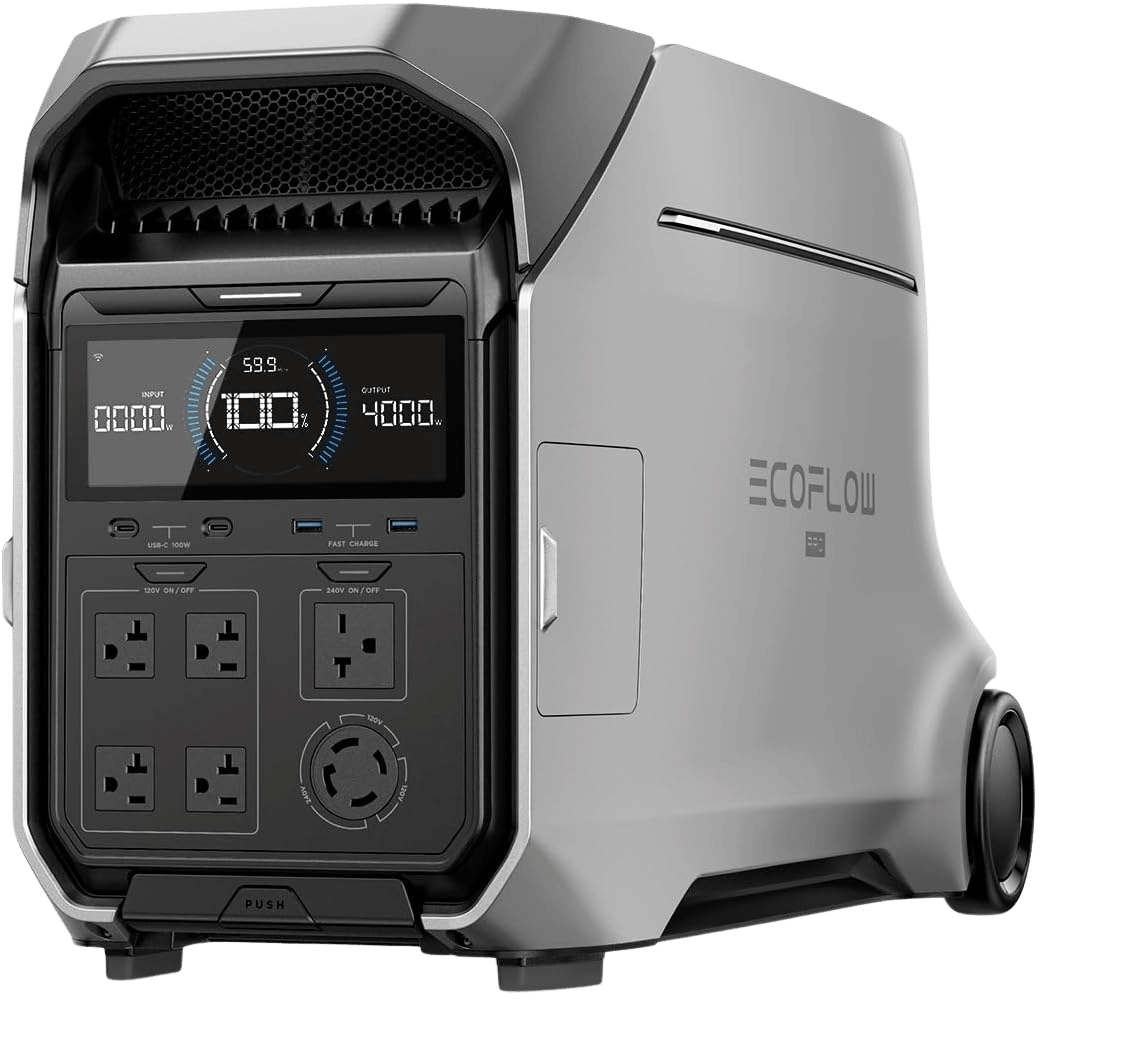
EcoFlow DELTA Pro 3
2 configurations
4.1–12.3 kWh LFP (single-unit stack), 4000 W / 8000 W surge, true 120V/240V, ~10 ms UPS.
Bluetti FridgePower: slim apartment and refrigerator essentials backup
Role: the practical plug-in option for a refrigerator, freezer, modem, router, and a small group of essentials.
For renters, the Bluetti FridgePower is easier to place in an apartment or condo than the larger cart-based systems. It has a 2,016 Wh LiFePO4 base capacity, 1,800 W continuous output, 3,600 W surge output, and approximately 10 ms UPS switchover. Its roughly 75 mm wall-oriented profile is useful where floor space is limited.
With the same illustrative 100 W AC load, the base battery calculates to about 17–18 hours before system losses. Expansion can take it to 8,064 Wh, extending fridge and networking runtime for a longer outage without changing the 1,800 W output ceiling.
That output limit is the key tradeoff. It is not a whole-home or 240V system, and it has no wheels, so moving it while connected to a refrigerator may be inconvenient. A refrigerator’s compressor startup can also expose the limit even when the average running load looks modest. For renters, its plug-in design avoids panel work, but it cannot power hardwired circuits.
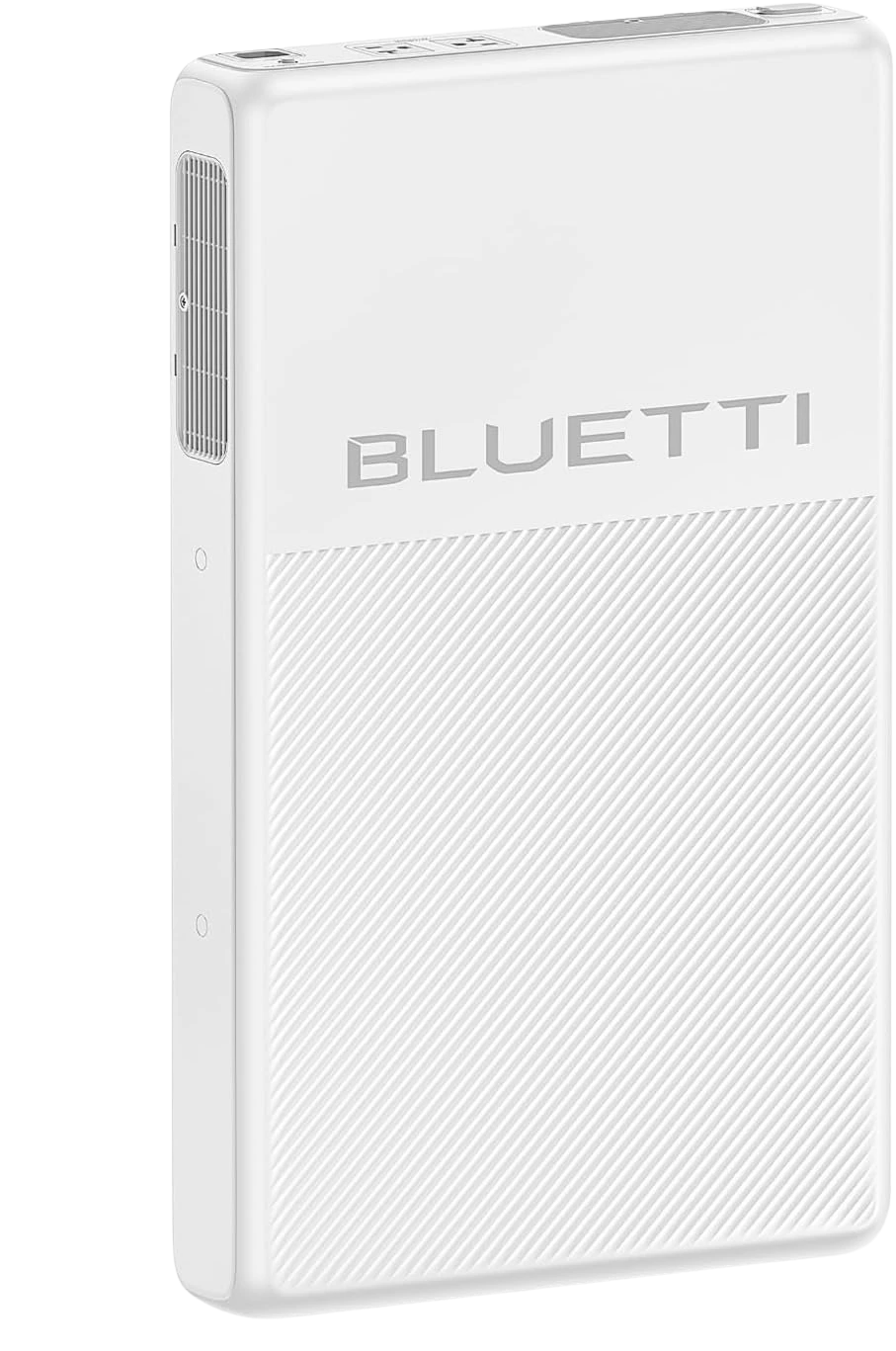
Bluetti FridgePower
3 configurations
2.02–8.06 kWh ultra-slim LFP, 1800 W, ~10 ms UPS — fridge/apartment backup.
Goal Zero Yeti Pro 4000: capacity expansion when 15 ms is tolerable
Role: a larger expandable station for buyers who value runtime growth more than the fastest UPS transfer.
For expandable capacity, the Goal Zero Yeti Pro 4000 starts at 3,993 Wh and can expand to 19,968 Wh with Tank Pro 4000 batteries. Its 3,600 W continuous and 7,200 W surge ratings provide useful headroom for a desktop, NAS, networking equipment, and selected household essentials.
For a hypothetical 100 W AC load, the base capacity works out to roughly 34–36 hours before additional losses, while the listed maximum is roughly 170–180 hours under the same simplified assumption. That expansion can matter more than reducing UPS transfer time when the main problem is keeping equipment online overnight or through a multi-day outage.
The main compromise is approximately 15 ms UPS switchover and no native 240V output. It is also about 116 lb, although the cart design and wheels help with movement. Choose it when the connected electronics have passed a transfer test or are not especially sensitive. Do not choose it solely because the maximum capacity looks attractive if a NAS or desktop must remain uninterrupted.
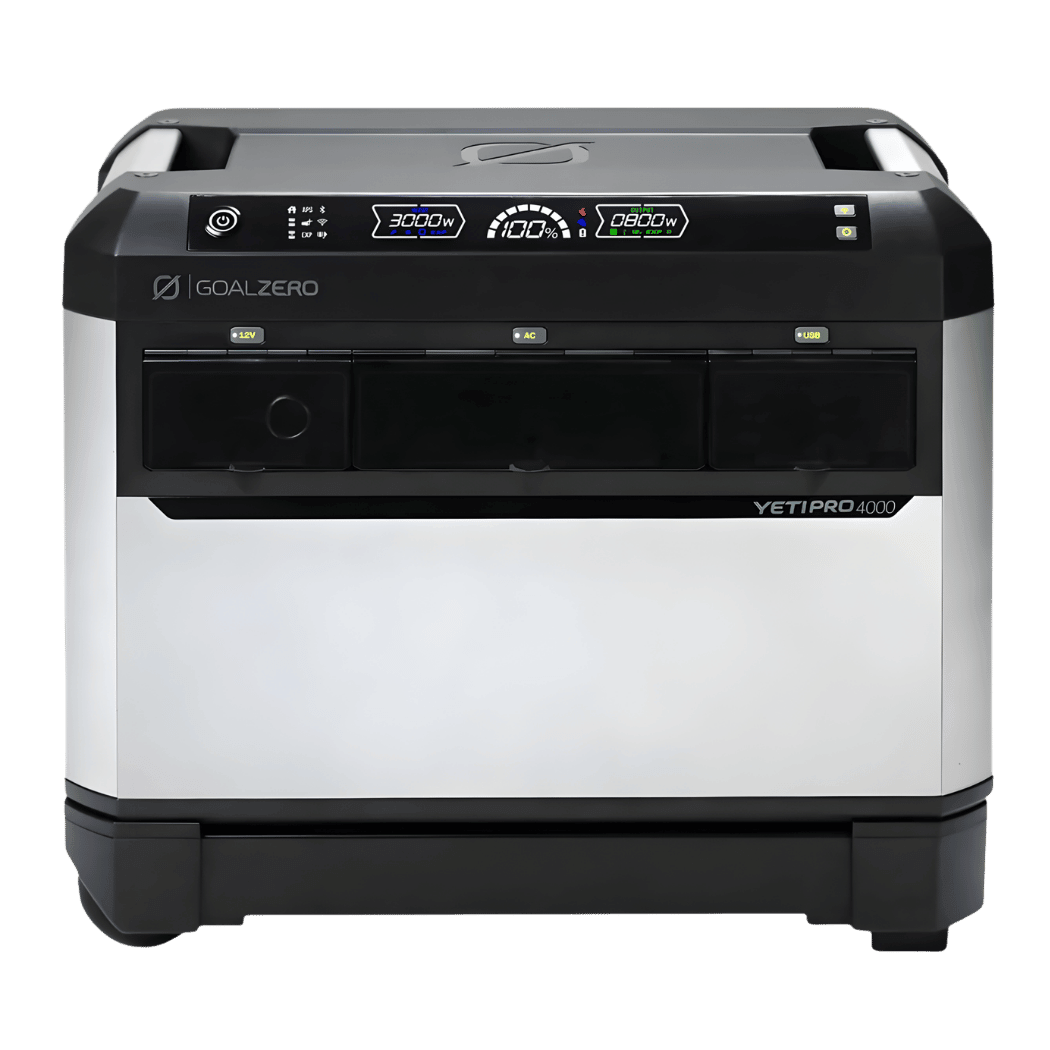
Goal Zero Yeti Pro 4000
~4–20 kWh LFP, 3600 W, ~15 ms UPS — no native 240V.
Pila Mesh Home Battery: room-by-room plug-in coverage
Role: distributed apartment or essentials backup where separate rooms need their own outlets.
The Pila Mesh Home Battery takes a different approach from a single large station. Each unit provides 1,600 Wh, 2,400 W continuous output, and 3,600 W surge output for 30 seconds. Its automatic switchover is approximately 10–20 ms, and mesh pairing can support up to 64 units for room-by-room backup.
At a hypothetical 100 W AC load, one 1,600 Wh unit calculates to roughly 14–15 hours before additional losses. An Expansion Pack can raise one unit toward 3.2 kWh, while the listed 102,400 Wh maximum represents a multi-unit mesh configuration rather than one battery. Per-unit output and outlet placement still limit what each room can run.
The tradeoff is the wider UPS range and the need to manage multiple units if the system grows. It has no native 240V output and is not a panel-tied whole-home transfer system. That makes it more practical for renters and apartment residents than for someone trying to back up a central electrical panel. Its four controllable 120V outlets, USB-C, and app or cellular connectivity can be useful, but those features do not replace checking whether a NAS or desktop tolerates the transfer.
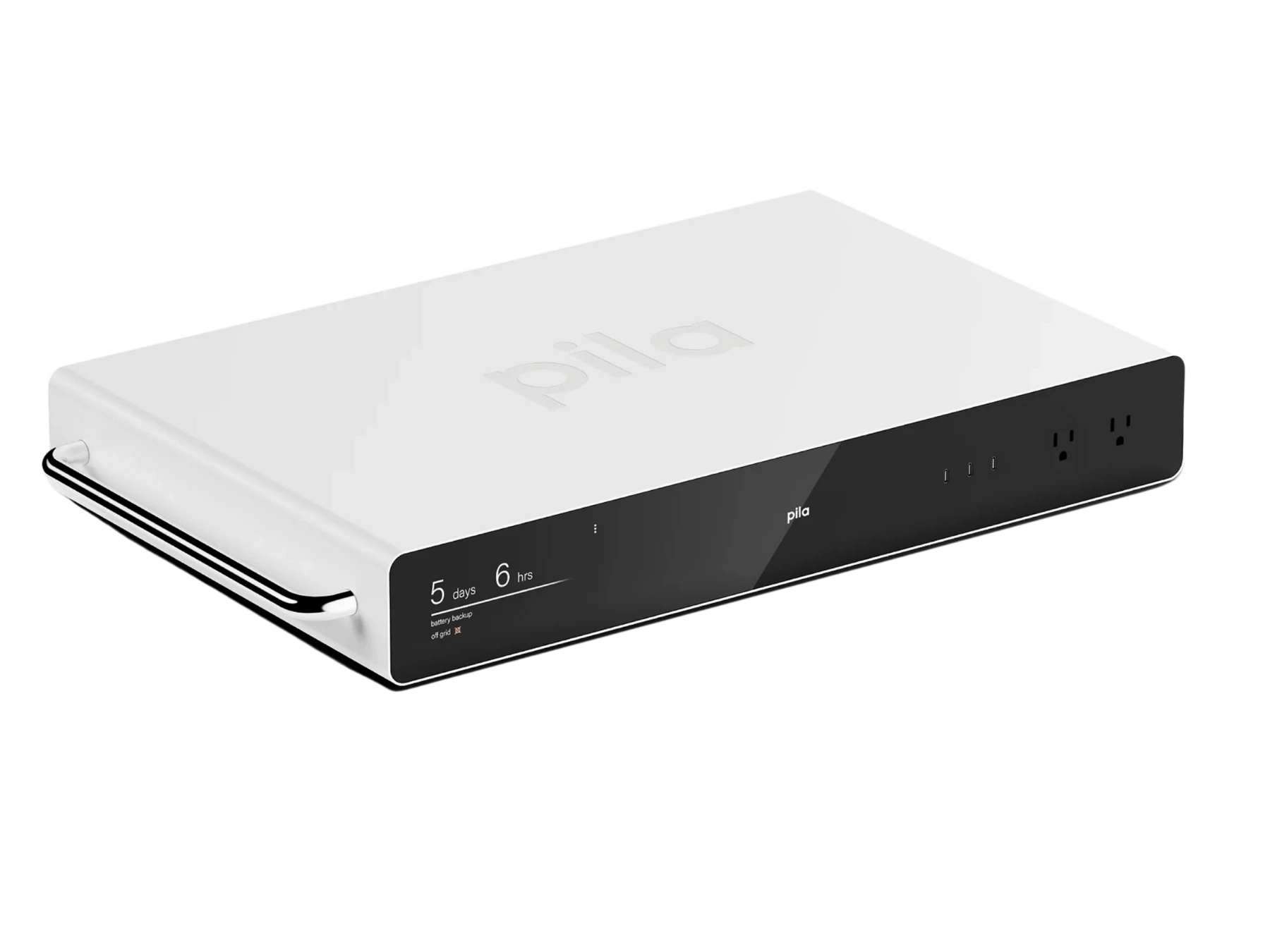
Pila Mesh Home Battery
1.6 kWh plug-in LFP mesh backup, 2400 W, ~10–20 ms UPS — apartment / essentials.
A practical test before the next outage
Start with the actual critical-load group, not the battery’s maximum output number. Connect the modem, router, security hub, NAS, desktop, and monitor you expect to use. Then check the normal AC draw, simulate a power interruption, and confirm whether anything reboots or loses its connection.
Next, test the battery with the refrigerator or other motor load separately. Watch for a startup trip when the compressor begins. If that happens, the problem is probably output or surge behavior rather than UPS switchover time.
Finally, decide whether your outage plan is outlet-based or panel-based. A plug-in setup is appropriate for cord-connected equipment and is usually the realistic path for renters. A whole-home or 240V plan requires compatible transfer equipment, code-compliant installation, and often an electrician. Do not pay for 0 ms operation as a substitute for those requirements.
FAQ
Is 0 ms UPS always better than 10 ms?
No. A 0 ms UPS reduces the chance of a reboot during transfer, which is valuable for some NAS devices, desktops, and security systems. But a 10 ms UPS may be entirely adequate for a tested router, modem, or computer, and the extra capacity or output may matter more during a long outage.
Can a home battery keep a computer on during an outage?
Yes, if the battery can handle the computer’s continuous load and startup behavior, and if the computer’s power supply tolerates the UPS transfer. Runtime is calculated from usable battery capacity divided by load, with roughly 10–15% lost when converting DC battery energy to AC. A 0 ms rating helps with continuity, but it does not solve an undersized inverter or insufficient capacity.
Does a 240V battery output power a whole home?
No. A 240V receptacle may power a compatible cord-connected load, but whole-home or selected-circuit backup requires the correct transfer-switch or interconnection path. Professional installation is normally required, especially for panel-connected 240V circuits.
Should a refrigerator use a 0 ms UPS?
Usually not as the first priority. Refrigerator backup depends more on continuous output, compressor startup surge, and total runtime. A 10 ms system may work, but the battery must have enough surge headroom and should be tested with the compressor starting.
Is a larger battery better than a faster UPS?
Often, once the connected electronics tolerate the transfer. Many buyers pay for fast switchover when their real problem is too little battery capacity for an overnight outage. First confirm that the equipment stays online, then size the battery for the required hours.
Takeaway
For the 0 ms vs 10 ms UPS home backup battery decision, choose a zero-gap system such as the Zendure SuperBase V6400 when a NAS, desktop, or security setup cannot risk a transfer interruption. Renters and apartment residents with router, refrigerator, and essentials needs may be better served by the smaller plug-in Bluetti FridgePower or Pila Mesh Home Battery, while buyers needing more runtime, surge headroom, or a future transfer-switch path should step up to an expandable system such as the EcoFlow DELTA Pro 3. The mistake to avoid is treating UPS speed as a replacement for capacity, output headroom, and proper electrical installation.
Related guides
These guides cover adjacent buying scenarios worth comparing.
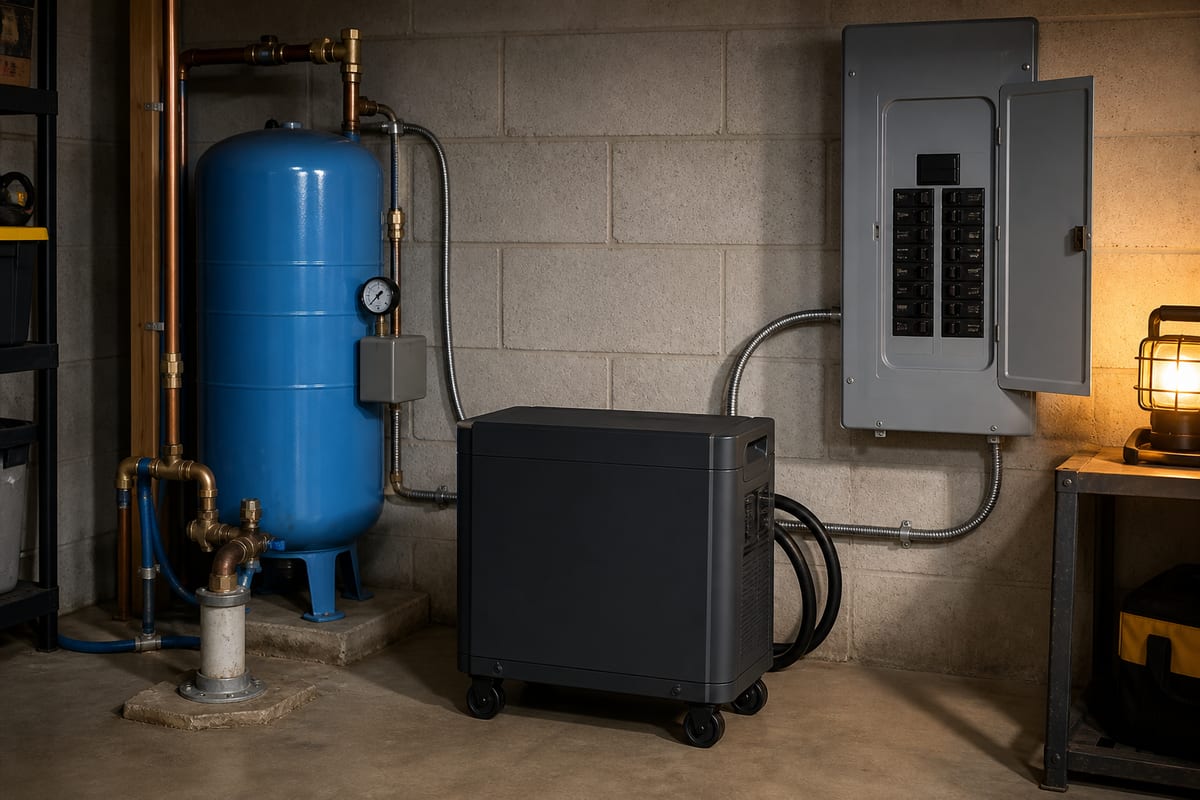
Can a Home Backup Battery Run a 240V Well Pump?
A large wattage number on a battery does not prove it can run a well pump. The system must produce true 120/240V split-phase power, start the pump motor, and connect through approved transfer equipment that cannot backfeed the utility.
Read guide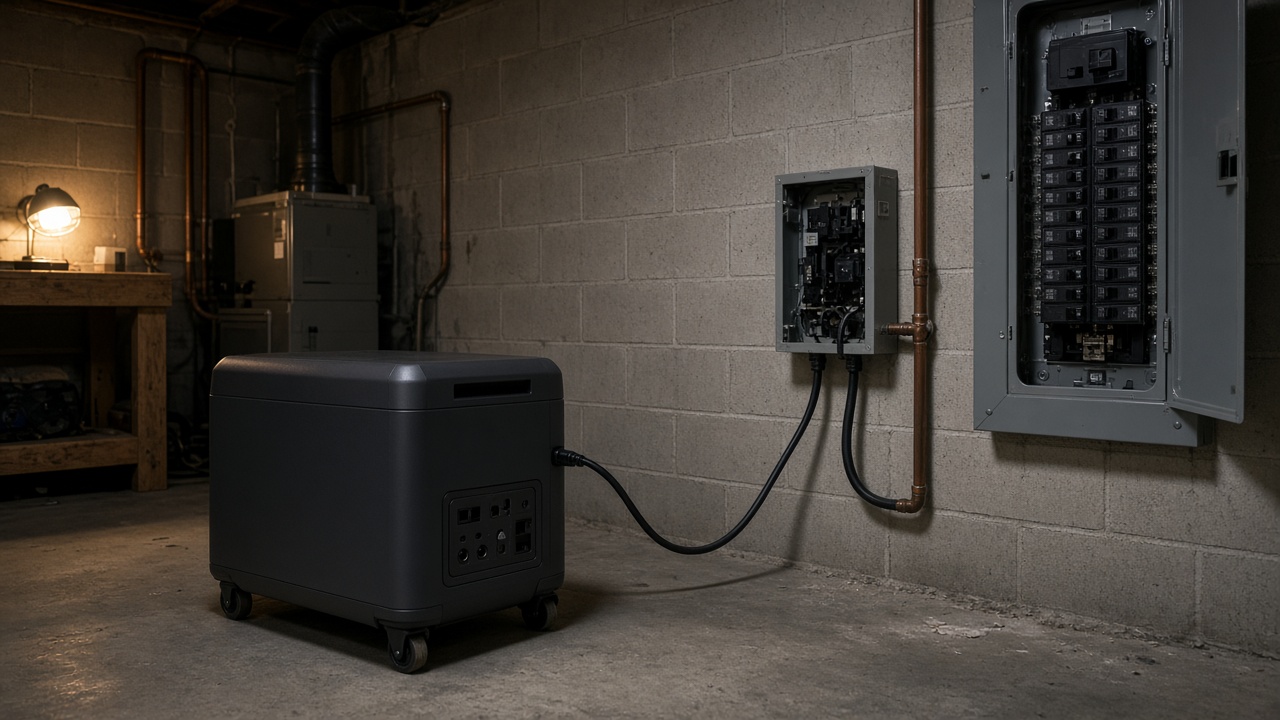
Do You Need a Transfer Switch for a Home Backup Battery?
A home backup battery is not automatically a backup system for the house. The overlooked decision is how power reaches the appliances: cords, a selected-circuit transfer switch, or an installed whole-home path.
Read guide